

How to Integrate a Sales Tax API Using AI (With Copy-Paste Prompt)
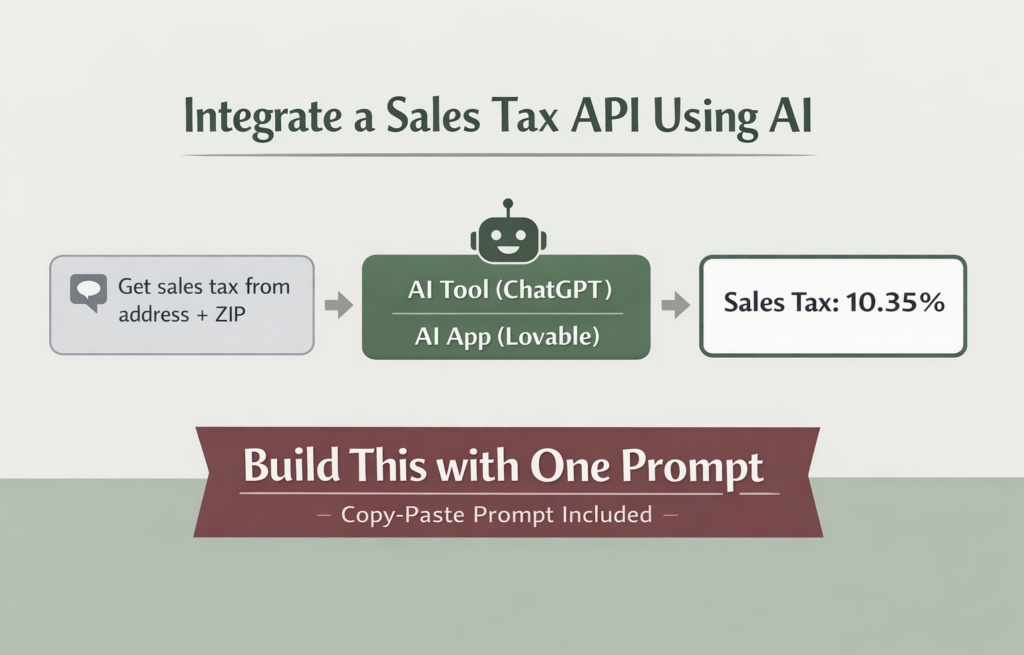
A few years ago, integrating a sales tax API meant writing backend code, handling requests, and wiring everything together manually.
Today, many builders — including those without a traditional programming background — are doing something different.
They’re using AI tools to describe what they want, and letting the system build the integration for them.
If you’re trying to integrate a sales tax API using AI, this approach can dramatically simplify the process. The workflow itself hasn’t changed — but how you implement it has.
The Workflow Hasn’t Changed — Just How You Build It
Whether you write code manually or use AI, the core flow for a sales tax API integration still looks like this:
Address input > API call > Sales tax + jurisdiction data > Display or use results
What’s changed is that you no longer need to write the code yourself — you can guide AI to build it.
Getting Access to the API
To calculate sales tax using an API, your app needs access to a service that returns jurisdiction-based tax data.
Like most APIs, this requires an API key, which is used to:
- authenticate requests
- track usage
- ensure reliable access
In this example, we’ll use USgeocoder as a working example. The USgeocoder API is a simple, easy-to-use service that provides a full set of sales tax data by address or geocode (latitude/longitude). It returns structured jurisdiction data — including state, county, city, and special districts — which works well for AI-based API integration workflows.
To follow along, you can get an API key by signing up here:
Two Ways to Integrate a Sales Tax API Using AI
Today, builders typically take one of two approaches when integrating APIs with AI.
Option 1 — Use an AI App Builder (No Code)
Tools like Lovable or Replit allow you to:
- integrate a sales tax API without coding
- build a working UI
- connect inputs to API calls
- display tax results
This is the fastest way to build an app with AI API integration.
Example Prompt (No-Code API Integration)
Create a checkout page with an address input.
When a user enters an address:
– Extract street address and ZIP code
– Call the USgeocoder API
From the response:
– Extract only the total sales tax rate
Display:
– Show the tax rate on a separate line in checkout
– Use it to calculate the sales tax amount
– Display the tax amount clearly
This is a typical example of prompt-based API integration.
Example: Calculate Sales Tax Using API (Real Address)
255 S Hunter St
Aspen, CO 81611
USgeocoder API returns:
Total Sales Tax Rate: 10.35%
State: CO (State Sales Tax: 2.9%)
County: Pitkin (County Sales Tax: 3.1%)
Municipality: Aspen (City Sales Tax: 2.7%)
Special District Total Sales Tax: 1.65%
- Colorado Mass Transportation System Sales Tax: 0.5%
- Regional Transportation Authority Sales Tax: 0.4%
- Aspen Fire Protection District Sales Tax: 0.5%
- Confluence Early Childhood District Sales Tax: 0.25%
Tax Code: 57-0001
What the App Actually Uses:
If your app only needs the total sales tax rate, AI will produce the following information for the checkout based on the above prompt:
Order Amount: $100
Sales Tax Rate: 10.35%
Sales Tax: $10.35
This is a common sales tax API example using address input.
Option 2 — Use AI Tools for More Control
If you want more control over your sales tax API integration, you can use:
- ChatGPT
- Grok
- Gemini
These tools help you:
- generate API logic
- test API calls
- customize behavior
Example Prompt:
1. Write a JavaScript function that:
- takes a street address and ZIP code
- calls the USgeocoder API
- parses the response
- extracts the total sales tax rate
2. Then calculate sales tax for an order amount.
Example Output:
async function getSalesTax(address, zip) {
const response = await fetch(“https://api.usgeocoder.com/sales-tax”, {
method: “POST”,
headers: {
“Content-Type”: “application/json”
},
body: JSON.stringify({
street: address,
zip: zip
})
});
const data = await response.json();
return data.total_sales_tax_rate;
}
The Key: Tell AI What to Extract with a specific prompt
This is the most important part of AI API integration. The success of AI-based integration depends on how clearly you describe your intent with the prompt.
Too vague:
Get sales tax for this address
Much Better:
Call the USgeocoder API using street and ZIP.
From the response:
– extract total sales tax rate only
Use it to:
– calculate tax
– display tax line in checkout
Structured sales tax APIs Matter for AI Integration
AI tools work best when APIs return:
- structured data
- consistent fields
- detailed breakdowns
This makes no-code API integration much more reliable. Instead of coding integrations, builders now:
- describe API usage
- define expected output
- let AI implement logic
This is the future of API integration workflows.
Final Thoughts
The core problem hasn’t changed: You still need accurate tax jurisdiction data for an address.
What’s changing is how people solve it.
Builders today can:
- integrate sales tax APIs with AI
- build applications without coding
- use prompts instead of writing logic
Copy This Prompt
Build a checkout that:
– takes address + ZIP
– calls sales tax API
– extracts total tax rate
– calculates tax
– displays result
Related Resources
To go deeper into how sales tax data works:
- Shapefiles for Sales Tax Jurisdictions
Shapefiles for Sales Tax Jurisdictions – Where to Find Reliable Data
- Developer-Ready Sales Tax Shapefiles
Sales Tax District Shapefiles – Clean, Accurate, Developer-Ready
- (Coming soon) Sales Tax Jurisdiction Resource Hub
**Originally published in March 2026. Updated in April 2026 to reflect current data structures and implementation details.
 Determine sales tax jurisdiction from address